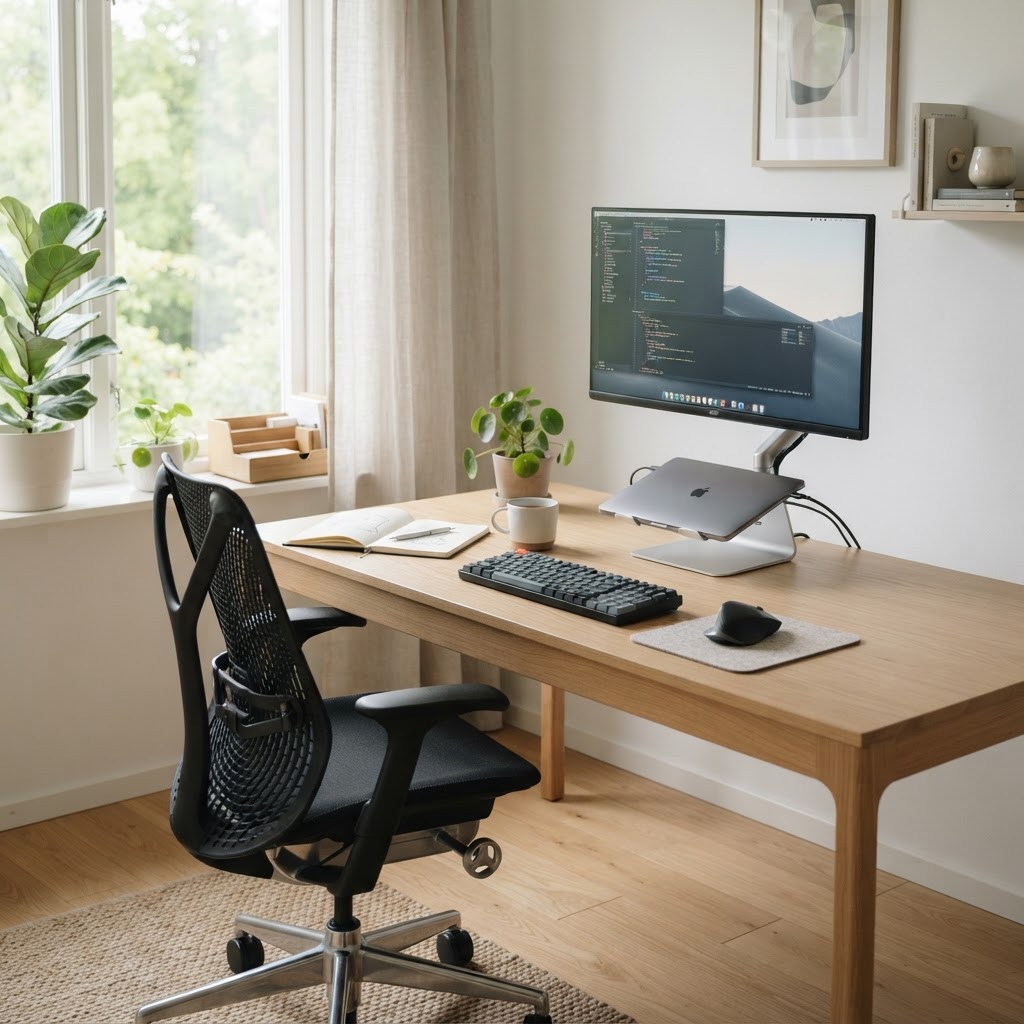
Most remote workstations are assembled in minutes and endured for years. The result is a body quietly accumulating strain. The good news: you don't need expensive equipment to fix the five load-bearing points of a workstation. You need alignment — and the ANSI/HFES 100-2007 standard gives us the reference geometry to aim for.
1. Monitor at eye level, an arm's length away
Set the top of your screen at or just below eye level, roughly an arm's length (50–70 cm) from your face. A screen too low forces neck flexion; too high strains the cervical extensors. If you work on a laptop, raise it on a stand and use a separate keyboard.
2. Chair that supports your spine's natural curve
Your seat height should let your feet rest flat on the floor (or a footrest) with knees at roughly 90°. Lumbar support meets the inward curve of your lower back. The Mayo Clinic's office ergonomics guide recommends elbows bent 90–100° and wrists straight when typing.
3. Desk height matched to your elbow
Resting forearm height is your ideal desk height. If your desk is fixed, adjust the chair and use a footrest to keep feet supported. Your wrists should hover, not rest, while typing.
4. Keyboard and mouse in the 'neutral reach zone'
Keep input devices within easy reach so your upper arms stay near your torso and your shoulders stay relaxed. A keyboard tray or split keyboard helps if your shoulders roll forward. The mouse should sit at the same height as the keyboard.
5. Lighting that protects your eyes
Position light sources to the side of your monitor — never directly behind the screen or behind you. Aim for ambient brightness that roughly matches your screen brightness to reduce contrast fatigue, and follow the 20-20-20 rule: every 20 minutes, look 20 feet away for 20 seconds.
Why it matters
According to NIOSH, musculoskeletal disorders (MSDs) account for roughly 30% of all worker injury and illness cases requiring days away from work. Most are preventable through setup — not therapy. Run through this five-point checklist at every new desk, and revisit it when something aches.